
Zombie Love Story: AI Video Ideas & Prompts
Explore zombie love story ideas, a five-beat reunion structure, and adaptable AI video prompts for emotional couple stories made from photos.
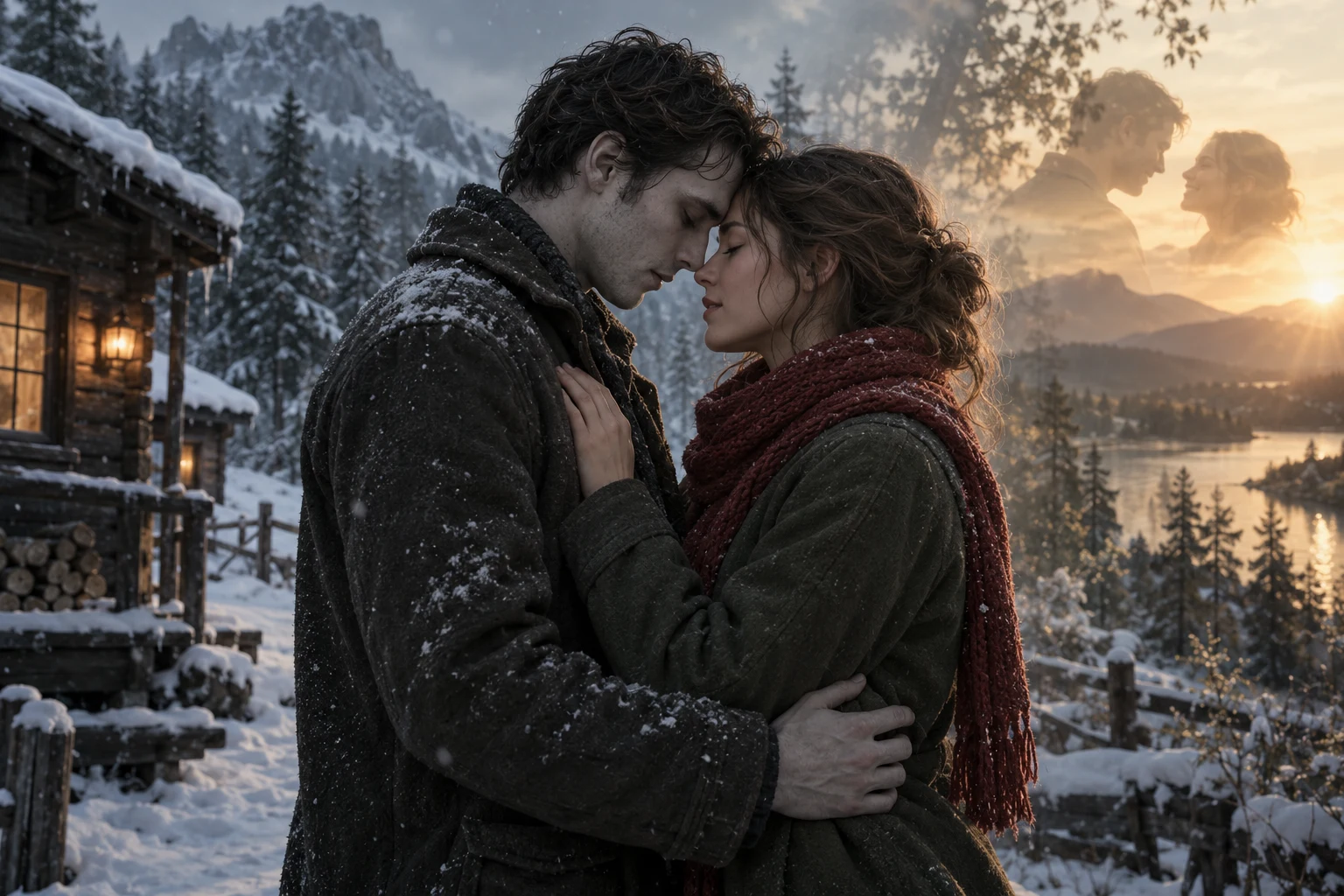
Your five-beat storyboard
- 01Encounter
- 02Recognition
- 03Approach
- 04Embrace
- 05Memory
A zombie love story can begin with a frightening silhouette and end with a familiar gesture. One partner has changed beyond recognition—until a scarf, an outstretched hand, or a shared habit reveals who they are. The emotional turn comes from recognition, not from making the zombie more frightening.
This guide helps you plan that turn for a short AI video: choose a simple reunion, give it five clear beats, and translate those beats into an adaptable prompt. The story ideas and prompts below are original creative examples, not tested generation recipes. AI Zombie currently offers reference examples and scene planning; video generation is not yet open.
What is a zombie love story?
For this guide, a Zombie Love Story is a short fictional reunion between an ordinary person and a loved one with a zombie appearance. Its central question is: can someone recognize the person they love beneath a changed face?
You do not need a backstory about an outbreak. Two recognizable characters, one meaningful detail, and a small change in body language can carry the scene. Keep the transformation non-graphic: pale skin, weathered clothes, and hesitant movement are enough. Warmth comes from how the characters respond to each other.
Decide whose experience the viewer follows. A survivor waiting at a cabin door tells a different story from a returning partner afraid to approach it. Choose one point of view before adding camera instructions.
Build the reunion in five beats
Use this miniature storyboard to plan the emotional order:
Encounter → Recognition → Approach → Embrace → Memory
- Encounter: establish the place and distance between the two characters. One clear wide or medium shot is enough.
- Recognition: reveal a personal clue. A striped scarf is easier to communicate visually than an elaborate history.
- Approach: show a choice to move closer. Lowering a raised hand can shift the scene from fear toward trust.
- Embrace: let the action resolve the tension. Describe a gentle hug and visible faces, rather than several competing gestures.
- Memory: end on warmth. This could be a brief imagined flashback, or simply warmer light on the same two people.
For a planned 15-second edit, an example allocation is 3, 3, 3, 4, and 2 seconds. These are editing notes, not a promise that an AI model will obey exact timings. If your chosen model cannot handle all five beats, generate or edit fewer actions at a time. A clear recognition and embrace can work without a flashback.
Five original zombie couple video ideas
These concepts use variations on three settings shown on this site: a snowy cabin, a rainy street, and an abandoned chapel. Each keeps the cast small and gives recognition a visible trigger.
1. The scarf at the cabin door
A survivor opens a snowbound cabin to find a changed partner on the step. They recognize the scarf they once knitted, loosen their grip on the door, and invite the visitor into a hug. End with the scarf between them in warm doorway light. Keep the snow gentle so it does not obscure either face.
2. One umbrella, two familiar hands
On a rainy street, a returning partner waits outside the shelter of an umbrella. The survivor notices their familiar habit of offering a hand palm-up. The umbrella tilts to cover both characters before they embrace. A reflected amber light supplies the final warm note without requiring another location.
3. The ribbon in the chapel
In an abandoned chapel, a survivor finds their changed partner holding a simple blue ribbon from a past celebration. The survivor ties it around their joined hands, then draws closer. Keep the ribbon as a story clue rather than a demand for intricate finger animation; a cut between the clue and the embrace may communicate it more clearly.
4. The empty place beside the fire
Return to the snowy cabin with a quieter premise. The survivor has left a second seat by the window. A silhouette appears outside, recognizable by an old coat. The reunion ends with both seated near the warm light, shoulders touching. This variation suits a restrained ending when a complex hug would distract from the mood.
5. The promise at the chapel entrance
At the chapel entrance, the returning partner stops short of crossing the threshold. The survivor recognizes a familiar pendant, steps outside, and initiates the embrace. The important action is acceptance: one person closes the distance. Finish on the two figures framed by the doorway, without a crowd or an additional transformation.
An adaptable AI video prompt
Start with roles, references, one setting, and a single emotional progression. Replace the bracketed instructions before using the prompt with a compatible video model. Reference-image support, clip length, audio, and editing controls depend on that model.
Create a fictional cinematic reunion featuring exactly two adult characters. Use reference A for the returning partner and reference B for the survivor. Keep their distinguishing facial features and clothing consistent where possible. The returning partner has a gentle, non-graphic zombie appearance. Set the scene in [snowy cabin / rainy street / abandoned chapel]. The survivor notices [one recognizable keepsake or gesture], pauses in recognition, and slowly moves closer. They share a gentle embrace. Use restrained movement, readable faces, and a slow camera push. Begin with cool ambient light and finish with a subtle warm accent. Avoid blood, attacks, extra characters, written text, and abrupt scene changes.
This is a planning template, not a universal model syntax. If the model has separate reference-image or negative-prompt fields, use its documented controls rather than assuming the prose creates those settings.
Snowy cabin variation
Two adult partners reunite at a snowy cabin door. The survivor recognizes a striped scarf on the returning partner, whose zombie appearance is subtle and non-graphic. Hold the scarf and both faces in view as the survivor steps forward for a gentle hug. A warm doorway light contrasts with the blue snow. Keep the background simple and the camera movement slow.
Rainy street variation
Two adult partners stand on a quiet rainy street beneath a single umbrella. One has a non-graphic zombie appearance and offers an open hand. The other recognizes the gesture, shifts the umbrella to shelter them both, and leans into a gentle embrace. Show soft rain and a warm reflection on the pavement. No crowd, aggression, gore, or rapid cuts.
Choose photos that support the story
Use a clear photo of each intended character, with the face visible and enough detail to distinguish them. Avoid sunglasses, heavy beauty filters, extreme angles, and hands covering faces. Similar framing and lighting can make your instructions less contradictory; they do not guarantee identity preservation.
Use photos you have permission to use, and agree on the fictional transformation with the people depicted. Keep character assignments explicit: reference A remains the returning partner throughout the prompt. Do not swap the roles midway through a revision.
For a vertical composition, leave room for both faces and the embrace. Choose one cold-to-warm cue—doorway light, a street reflection, or a memory insert. Combining several location changes, costumes, transformations, and camera moves makes it harder to diagnose an unclear result.
When the story becomes hard to read
- An extra person appears: simplify the background and restate that the scene contains exactly two characters. If your tool supports it, use its reference controls. A prompt alone cannot guarantee the count.
- The faces drift: remove unnecessary transformation instructions, try clearer references, and inspect the result before sharing it.
- The tone feels threatening: replace running, grabbing, and sudden lunges with a pause, an offered hand, and a slow approach.
- Too much happens at once: keep recognition and the embrace in the first attempt. Add a separate memory shot only if the central reunion reads clearly.
Zombie Love Story FAQ
Does a zombie love story have to be horror?
No. The changed appearance can create uncertainty while the story focuses on affection and recognition. A non-graphic look, calm pacing, and voluntary gestures keep the scene tender.
What photos should I prepare?
Prepare one clear reference per character, ideally with visible facial features and little obstruction. Check the chosen model's supported number of references and upload requirements before generating.
Can I plan a pet version?
Yes. Adapt the recognition moment to a collar, a familiar sitting posture, or a reunion at the cabin door. Use an appropriate pet interaction, such as a person kneeling beside the animal, instead of asking for human gestures.
Can prompts guarantee consistent faces or an exact sequence?
No. Identity, movement, and timing can vary between models and attempts. Treat these prompts as creative direction, review outputs, and simplify or edit the sequence when needed.
Plan your own reunion
Write down three things: who returns, what makes them recognizable, and who takes the first step. Then explore the reference video stories and preview the scene-planning workspace. The examples are creative references, not a guarantee of future output. While generation is not yet open, you can use this guide to prepare photos and a focused story brief.